The OSI Model Decoded: How Data Actually Travels
Have you ever stopped to think about what actually happens when you click “Send” on a message? We take connectivity for granted, but behind every click is a complex, standardized process called the OSI Model (Open Systems Interconnection).
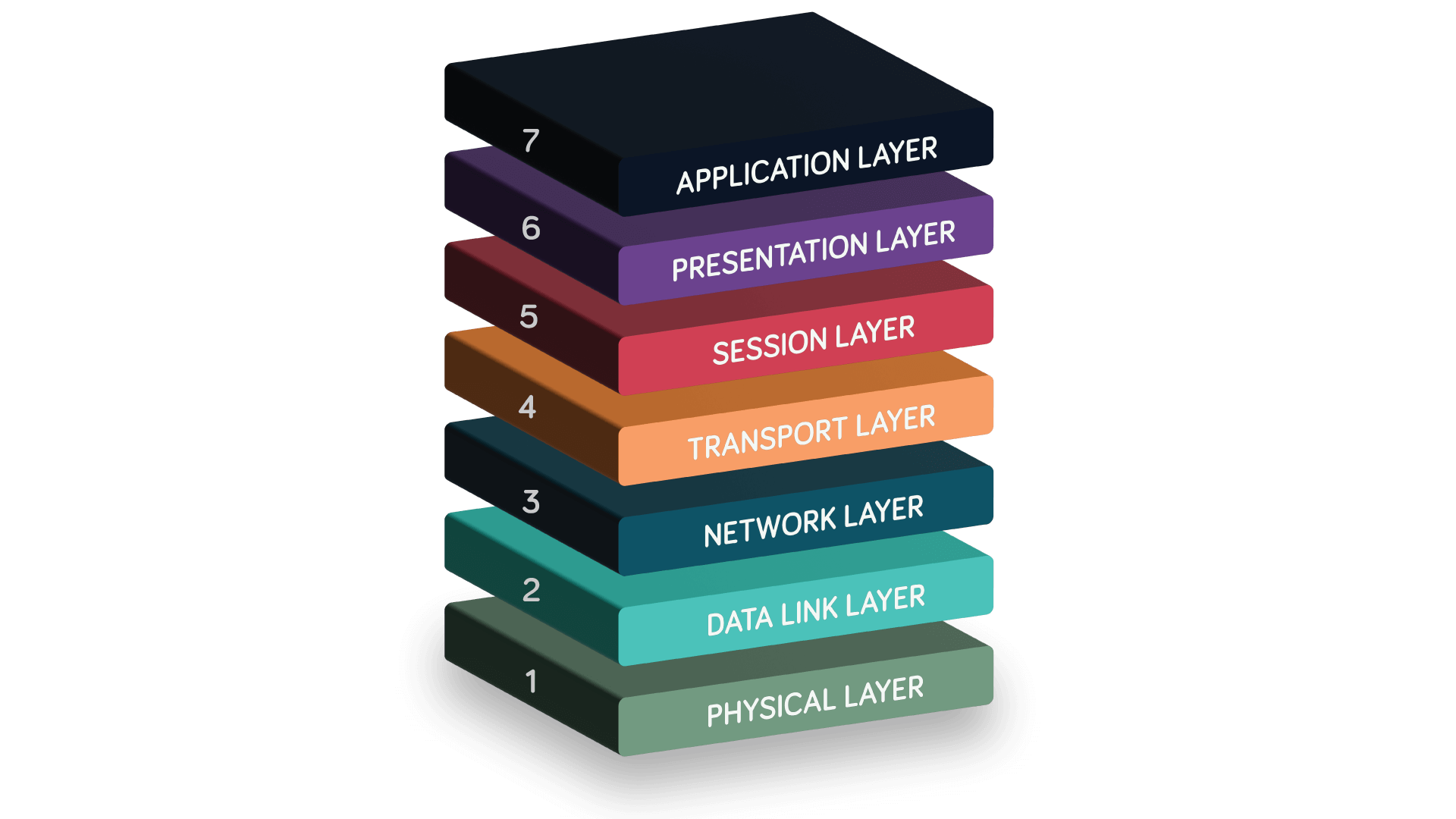
Think of the OSI Model as the universal “map” for networking. It breaks down the complex journey of data into 7 distinct layers. Whether you are troubleshooting a network issue or just curious about how the internet works, understanding this model is fundamental.
Here is my breakdown of the 7 layers, moving from the user interface down to the physical cables, followed by a real-world example of a message’s journey.
The 7 Layers of the OSI Model
We usually read these from the top (Layer 7) down to the bottom (Layer 1) when discussing the sending process.
7. Application Layer
This is the layer you interact with directly. It acts as the interface between the user and the network. When you open Chrome or Outlook, you are interacting with this layer.
- Function: Initiates requests for network services (like loading a webpage).
- Protocols: HTTP, HTTPS, SMTP, FTP.
6. Presentation Layer
Think of this layer as the Translator. Its job is to ensure the data is in a format the network (and the receiving application) can understand.
- Function: It handles data formatting, compression (making files smaller), and encryption (making data secure, like SSL/TLS).
- Analogy: Translating a document from English to Spanish so the receiver can read it.
5. Session Layer
This layer acts as the Manager. It is responsible for setting up, maintaining, and tearing down connections.
- Function: It establishes a “session” between two devices. If you are logged into a banking site and the connection times out after inactivity, that’s the Session Layer at work.
4. Transport Layer
Now we get to the logistics. This layer is like the Shipping Department. It takes large chunks of data and breaks them down into smaller pieces called Segments.
- Function: It decides how data is sent. Do we need reliability (TCP) or speed (UDP)? It also assigns Port Numbers so the computer knows if the data belongs to a web browser or a video game.
- PDU (Protocol Data Unit): Segment.
3. Network Layer
This is the GPS of the model. This is where Routers operate.
- Function: It adds logical addressing—specifically IP Addresses (Source and Destination). It determines the best physical path for the data to travel across the internet.
- PDU: Packet.
2. Data Link Layer
This layer handles the physical delivery of data between devices on the same network. This is the domain of Switches.
- Function: It adds physical addresses (MAC Addresses) to ensure the data reaches the correct device on the local network. It also checks for errors in the physical transmission.
- PDU: Frame.
1. Physical Layer
This is the tangible reality—the hardware.
- Function: It converts the binary data (frames) into signals (electrical, light, or radio waves) to be transmitted over cables or Wi-Fi.
- PDU: Bits (1s and 0s).
A Practical Example: The Journey of a “Hello”
To visualize this, let’s trace the path of a single WhatsApp message saying “Hello” from your laptop to a friend’s phone. This process of moving down the layers is called Encapsulation.
- Layer 7 (Application): You type “Hello” and hit send. Your browser/app identifies that this data needs to be sent via the network.
- Layer 6 (Presentation): The system encrypts your “Hello” so no one else can read it and formats it into code the machine understands.
- Layer 5 (Session): The system checks if the conversation session with the server is active and keeps the connection open.
- Layer 4 (Transport): The message is broken into a Segment. A header is added indicating the protocol (TCP) and the Port number, ensuring it goes to the chat application, not your email.
- Layer 3 (Network): The Segment gets an IP Address stamped on it (From You -> To Server). It is now a Packet. The router will look at this to know where to send it.
- Layer 2 (Data Link): The Packet is wrapped in a Frame. Your computer adds its MAC address and the MAC address of your router.
- Layer 1 (Physical): The entire Frame is converted into a stream of Bits (010101). These bits leave your network card as electrical signals over the Ethernet cable or radio waves via Wi-Fi.
Once the data reaches your friend, the process reverses (Decapsulation) from Layer 1 up to Layer 7, until the “Hello” appears on their screen.
Why Does This Matter?
Understanding the OSI model isn’t just about passing exams. It’s the framework for troubleshooting. If you can’t load a website but can ping the server, you know Layer 3 (Network) is fine, and the issue is likely in Layer 7 (Application) or Layer 4 (Transport). It brings logic to the chaos of connectivity.
Read this article too, I think you’ll find it useful: What Is the OSI Model? | How Does It Work?